Labbook IMAV
.
August 12, 2026
- Received the two additional Lighthouse bases and two sets of butterfly wings. Mounted the wings following the instructions from Flapper.
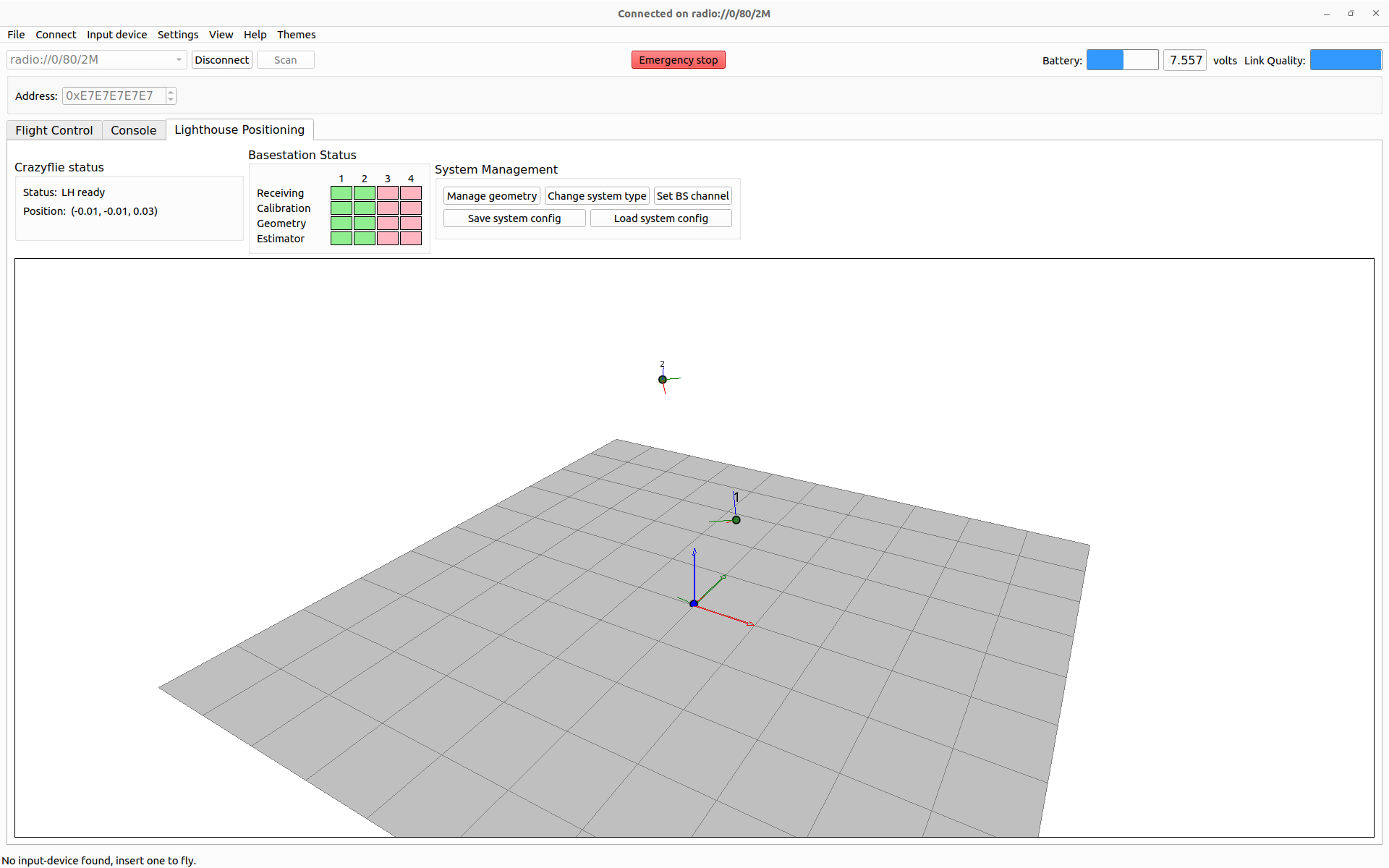
- Trying to connect with cfclient. That works, added the Lighthouse-tab from view, and both pre-installed bases give four green lights:
- Connected the UGV gamepad, but didn't see any reaction. Documentation was not very specific. Any magic start-button?
- Instead tried just_some_trust.py. The trust of the standard-wings wasn´t enough, so made just_some_trust_butterfly.py.
- The last HIGH_TRUST I tried was 44500. When I tried 48500 the battery was gone.
- Increased the script alive time from 30 to 60 seconds, because I had to reboot every time, because the send_setpoint(0, 0, 0, 0) was never reached.
- Saw in Fleur code also a disarm-command, added it to the just_some_trust_butterfly.py script (to be tested once the battery is loaded again).
- Fleur did the Lighthouse mounting on May 22, I saw in her logbook.
- A HIGH_TRUST of 44500 is too high, when the battery is loaded. Settled at the end to a value of 41000, which reached a height of 1.5m. The LOW_TRUST can be increased from 37500, to have safer landing.
- When hitting the ceiling, the lighthouse-extension came loose. Note that the fitting is slightly too tight, I couldn´t get it straight in. Also one of the Optitrack balls came loose.
- Doing the same experiment again, now with a full battery showed that an HIGH_TRUST of 41000 is still to high, should keep it at 40000 with a full battery (or use an explicit height, because the Lighthouse was active).
August 7, 2026
- On request of Flapper, I checked the firmware used by Fleur. Both the Flapper and Brushless 2.1 were using the firmware 2026.04, which has an improved EKF.
- Checked this under Ubuntu with the cfclient, and checking in the console (build is one of the first logs).
- Flapper will come soon with the Nimble Triple, which is equiped with a lighthouse and a camera.
- Fleur's thesis will be added to scientific papers section.
June 24, 2026
- DroneBlocks support several UAV-systems with their scratch-environment, including crazyflie.
May 8, 2026
- Checked the Getting started of the Vertex one.
- Seems that the Cerebra software is only available for Windows. Downloaded v 1.10.0.
- The lab is mainly for Device updates. More interesting to directly connect via ethernet.
- Development is inside a Docker user container.
- For ROS2, there are a number of example code, including hello world.
- The battery was not loaded, so starting to load the spare one (green leds going up).
- Connected via USB-C cable from whIRLwind bag (labeled 3.1). Blue light flashing, not visible via Robot discovery.
- Same with the Thunderbolt cable (labeled Razer).
- Connecting to the USB-C at back doesn't work, because that one is connected to MCU, not the Jetson.
-
- Switching batteries.
- Could start Vertex. visible in Cerebra. Could not login via ethernet. Switched to native Ubuntu. Could still not login.
- Switched to Vertex AP. Could login via ssh.
- The avular status shows that the creos-system docker (v1.2.0 - while running OS version is v1.3.2) is exited. Should try to restart with avular compose start
- The command docker image list shows that there are three creos_system images (1.1.0, 1.2.0, 1.3.0). The image called user seems to be containers-user-container. I could try to restart with docker start -i IMAGE_ID.
- I could also just try the ROS2 Hello world example.
- Restarting the IMAGE_ID doesn´t work, because it starts a CONTAINER_ID. No creos-system container is running from one of the images, so should be started first.
- Inside the user-container, the ws is empty, so ros2 run hello_world_example hello_world_example doesn't work, should clone the repository first.
- Tried docker run avular.azurecr.io/creos_system:1.2.0 (and tag 1.3.0), but in both cases the image couldn´t find /data/device/robot_type.
- Adding a volume with -v /data/device:/data/device didn´t work.
- The volume has to be after the run but before the IMAGE-ID. The command docker run -v /data/device:/data/device avular.azurecr.io/creos_system:1.3.0 starts several nodes:
WARNING: No settings found and no default settings provided. Please provide a settings file at /default_settings.json.
INFO: Settings store is not externally accessible.
[INFO] [launch]: All log files can be found below /home/avular/.ros/log/1970-01-01-01-55-14-724461-4aae349a8869-17
[INFO] [launch]: Default logging verbosity is set to INFO
[INFO] [creos-agent-1]: process started with pid [18]
[INFO] [creos_system_info-2]: process started with pid [20]
[INFO] [rosbridge_websocket-3]: process started with pid [22]
[INFO] [rosapi_node-4]: process started with pid [24]
[INFO] [settings_store_node-5]: process started with pid [26]
[settings_store_node-5] Failed to initialize data access at '/settings.json'. Make sure settings file is accessible. Exiting.
[ERROR] [settings_store_node-5]: process has died [pid 26, exit code 1, cmd '/opt/ros/humble/lib/settings_store_node/settings_store_node --ros-args -r __node:=settings_store_node'].
[creos_system_info-2] [ERROR] [0000003315.252888223] [robot.creos_system_info]: Failed to create D-Bus connection: [org.freedesktop.DBus.Error.FileNotFound] Failed to open bus (No such file or directory)
[creos_system_info-2] [INFO] [0000003315.253362925] [robot.creos_system_info]: Serial number initialized: PMUCMART
[creos_system_info-2] [INFO] [0000003315.253477456] [robot.creos_system_info]: Robot type initialized: Vertex
[creos_system_info-2] [WARN] [0000003315.253500848] [robot.creos_system_info]: D-Bus connection not available; hostname will not be available
[creos_system_info-2] [WARN] [0000003315.253632724] [robot.creos_system_info]: CreOS release file file does not exist at "/etc/creos-release"
[creos_system_info-2] [ERROR] [0000003315.253697494] [robot.creos_system_info]: Failed to read CreOS release file: Failed to open file:
[creos-agent-1] [1970-01-01 01:55:15.266] [info] CreOS Agent ID: d046cd33b9ea67601287b88962667686
[creos-agent-1] 1970-01-01T00:55:15.266347Z WARN acc-0 ThreadId(03) zenoh_link_udp::unicast: Interceptors (e.g. Access Control, Downsampling) are not guaranteed to work on UDP when listening on 0.0.0.0 or [::]. Their usage is discouraged. See https://github.com/eclipse-zenoh/zenoh/issues/1126.
[creos-agent-1] [1970-01-01 01:55:15.268] [info] Loading plugins from: /usr/bin/../lib/creos-agent/plugins
[creos-agent-1] [1970-01-01 01:55:15.269] [info] Loading plugin: /usr/bin/../lib/creos-agent/plugins/20-autopilot.so
[creos-agent-1] [1970-01-01 01:55:15.279] [info] Plugin autopilot is being loaded
[creos-agent-1] [1970-01-01 01:55:15.287] [info] No topic specified for system_status
[creos-agent-1] [1970-01-01 01:55:15.288] [info] No topic specified for plan_twist
[creos-agent-1] [1970-01-01 01:55:15.290] [info] No topic specified for global_costmap
[creos-agent-1] [1970-01-01 01:55:15.290] [info] No topic specified for local_costmap
[creos-agent-1] [1970-01-01 01:55:15.291] [info] No topic specified for max_path_distance
[creos-agent-1] [1970-01-01 01:55:15.291] [info] No topic specified for speed_limit
[creos-agent-1] [1970-01-01 01:55:15.291] [info] No topic specified for unsmoothed_plan
[creos-agent-1] [1970-01-01 01:55:15.291] [info] No topic specified for amcl_pose
[creos-agent-1] [1970-01-01 01:55:15.291] [info] No topic specified for estimated_pose
[creos-agent-1] [1970-01-01 01:55:15.291] [info] No topic specified for gnss_pose
[creos-agent-1] [1970-01-01 01:55:15.291] [info] No topic specified for mapping_pose
[creos-agent-1] [1970-01-01 01:55:15.291] [info] No topic specified for marker_based_robot_pose
[creos-agent-1] [1970-01-01 01:55:15.291] [info] No topic specified for mapping_map
[creos-agent-1] [1970-01-01 01:55:15.291] [info] Loading plugin: /usr/bin/../lib/creos-agent/plugins/20-diagnostics.so
[creos-agent-1] [1970-01-01 01:55:15.296] [info] Plugin diagnostics is being loaded
[creos-agent-1] [1970-01-01 01:55:15.298] [info] Loading plugin: /usr/bin/../lib/creos-agent/plugins/20-direct-control.so
[creos-agent-1] [1970-01-01 01:55:15.302] [info] Plugin setpoint_control is being loaded
[creos-agent-1] [1970-01-01 01:55:15.302] [info] Loading plugin: /usr/bin/../lib/creos-agent/plugins/20-power-management.so
[creos-agent-1] [1970-01-01 01:55:15.310] [info] Plugin power_management is being loaded
[creos_system_info-2] failed to connect to the docker API at unix:///var/run/docker.sock; check if the path is correct and if the daemon is running: dial unix /var/run/docker.sock: connect: no such file or directory
[creos-agent-1] [1970-01-01 01:55:15.312] [power_management] [error] Failed to create proxy to login1 service; reboot callable will not work: [org.freedesktop.DBus.Error.FileNotFound] Failed to open bus (No such file or directory)
[creos-agent-1] [1970-01-01 01:55:15.312] [info] Loading plugin: /usr/bin/../lib/creos-agent/plugins/20-sensors.so
[creos_system_info-2] [ERROR] [0000003315.314711226] [robot.creos_system_info]: Failed to get running containers: Command "docker ps --format 'json' --no-trunc" failed with exit code 1
[creos_system_info-2] [INFO] [0000003315.316107969] [robot.creos_system_info]: CreosSystemInfo node initialized
[creos-agent-1] [1970-01-01 01:55:15.318] [info] Plugin sensors is being loaded
[creos-agent-1] [1970-01-01 01:55:15.319] [info] No topic specified for lidar_points/front
[creos-agent-1] [1970-01-01 01:55:15.321] [info] No topic specified for wheel_states
[creos-agent-1] [1970-01-01 01:55:15.325] [info] Loading plugin: /usr/bin/../lib/creos-agent/plugins/20-system-info.so
[creos-agent-1] [1970-01-01 01:55:15.329] [info] Plugin system_info is being loaded
[creos-agent-1] [1970-01-01 01:55:15.331] [info] Loading plugin: /usr/bin/../lib/creos-agent/plugins/20-transforms.so
[creos-agent-1] [1970-01-01 01:55:15.335] [info] Plugin transforms is being loaded
[creos-agent-1] [1970-01-01 01:55:15.338] [info] Loading plugin: /usr/bin/../lib/creos-agent/plugins/80-origin.so
[creos-agent-1] [1970-01-01 01:55:15.343] [info] Plugin origin is being loaded
[creos-agent-1] [1970-01-01 01:55:15.343] [info] Plugin origin is not enabled
[creos-agent-1] [1970-01-01 01:55:15.343] [info] Loading plugin: /usr/bin/../lib/creos-agent/plugins/80-vertex.so
[creos-agent-1] [1970-01-01 01:55:15.348] [info] Plugin vertex is being loaded
[creos-agent-1] [1970-01-01 01:55:15.355] [info] CreOS Agent is running
[rosbridge_websocket-3] [WARN] [0000003315.920045181] [rosbridge_websocket]: The 'default_call_service_timeout' parameter is currently set to 0.0, which means service calls will block indefinitely if no response is received. Please note that in the Jazzy and later releases, the default value for this parameter will be updated to 5.0 seconds.
[rosbridge_websocket-3] [WARN] [0000003315.920873268] [rosbridge_websocket]: The 'call_services_in_new_thread' parameter is currently set to False, which means service calls will block the main thread. Please note that in the Jazzy and later releases, the default value for this parameter will be updated to True.
[rosbridge_websocket-3] [WARN] [0000003315.921565063] [rosbridge_websocket]: The 'send_action_goals_in_new_thread' parameter is currently set to False, which means sending action goals will block the main thread. Please note that in the Jazzy and later releases, the default value for this parameter will be updated to True.
[rosbridge_websocket-3] [INFO] [0000003315.924948037] [rosbridge_websocket]: Rosbridge WebSocket server started on port 9090
[creos_system_info-2] failed to connect to the docker API at unix:///var/run/docker.sock; check if the path is correct and if the daemon is running: dial unix /var/run/docker.sock: connect: no such file or directory
[creos_system_info-2] [ERROR] [0000003345.275594161] [robot.creos_system_info]: Failed to get running containers: Command "docker ps --format 'json' --no-trunc" failed with exit code 1
- After restarting (and crashing) the creos-system, suddenly other docker-containers are running: condescending_lamarr, crazy_mendeleev, peaceful_jackson (all from creos_system:1.3.0), and a number of exited containers (sweet_maxwell, funny_vaughan, heuristic_saha (1.3.0) and lucid_volhard (1.2.0)
- Looking into the CreOS SDK documentation
- Looking on the Vertex in /data/app/avular/system/docker-compose.yml. Not only the /data/device:/data/device is mounted, but also 4 other directories (including /ect/creos-release and /data/app/avular/dds, and two /var/run-files).
- A shutdown of the Jetson doesn´t shutdonw the controller. See no difference in LEDs, other than the ethernet cable.
May 6, 2026
April 21, 2026
April 20, 2026
- Should try to update the Loco firmware with the LPS tool under Linux.
- Cloned the LPS tool github into ~/git/bitcraze/lps-tools.
- Just pip3 install -e .[pyqt5] didn't work, because my version of pyusb (v1.3.1) was newer than specified (v1.0.2). Changed setuP-common.py, to >=1.0.2. lpstools was now installed.
- Downloaded the latest lps firmware (2022.09).
- Changed the USB-rigths, could Update the firmware.
- Configuring fails, because I didn´t had rights on /dev/ttyACM0. Gave myself rights with sudo chmod o+rw /dev/ttyACM0. Loco tag #8 is ready to go.
.
April 15, 2026
April 14, 2026
April 13, 2026
April 2, 2026
March 24, 2026
- Because the flow deck has to mounted horizontally, looking down so the height to the ground can be estimated, it is maybe better to start with the AI-deck.
- According to the Getting started with the AI deck, the aideck has to be flashed.
- There are several aideck examples, including a img_streamer (from Feb 24, 2025).
- One of the examples is a retraining a classifier, based on this google-coral example, which is a frozen MobileNet backbone retrained on the flower dataset.
- The Image processing examples could do some demosaicking and inverting, and write the result over the JTAG cable. Maybe time to order also JTAG kit.
- Should also by an 8m x 11m net to protect the ceiling. Could try twice 4m x 10m. Alternative 10m x 10m (only online).
-
- Switching to the Ubuntu partition of nb-dual.
- Getting started with the AI-Deck recommended Getting Started with the Crazyflie, which pointed to software installation.
- I already installed uv, so uvx cfclient installs 23 packages and starts the client.
- Got some warnings on not installed plugins:
INFO:cfclient.utils.input.inputreaders:Could not initialize [pysdl2]: No SDL2 support on Linux
INFO:cfclient.utils.input.inputinterfaces:Found interfaces: ['leapmotion', 'wiimote', 'zmqpull']
INFO:cfclient.utils.input.inputinterfaces:Could not initialize [leapmotion]: Leap Motion library probably not installed (No module named 'leapsdk')
INFO:cfclient.utils.input.inputinterfaces:Could not initialize [wiimote]: Missing cwiid (wiimote) driver No module named 'cwiid'
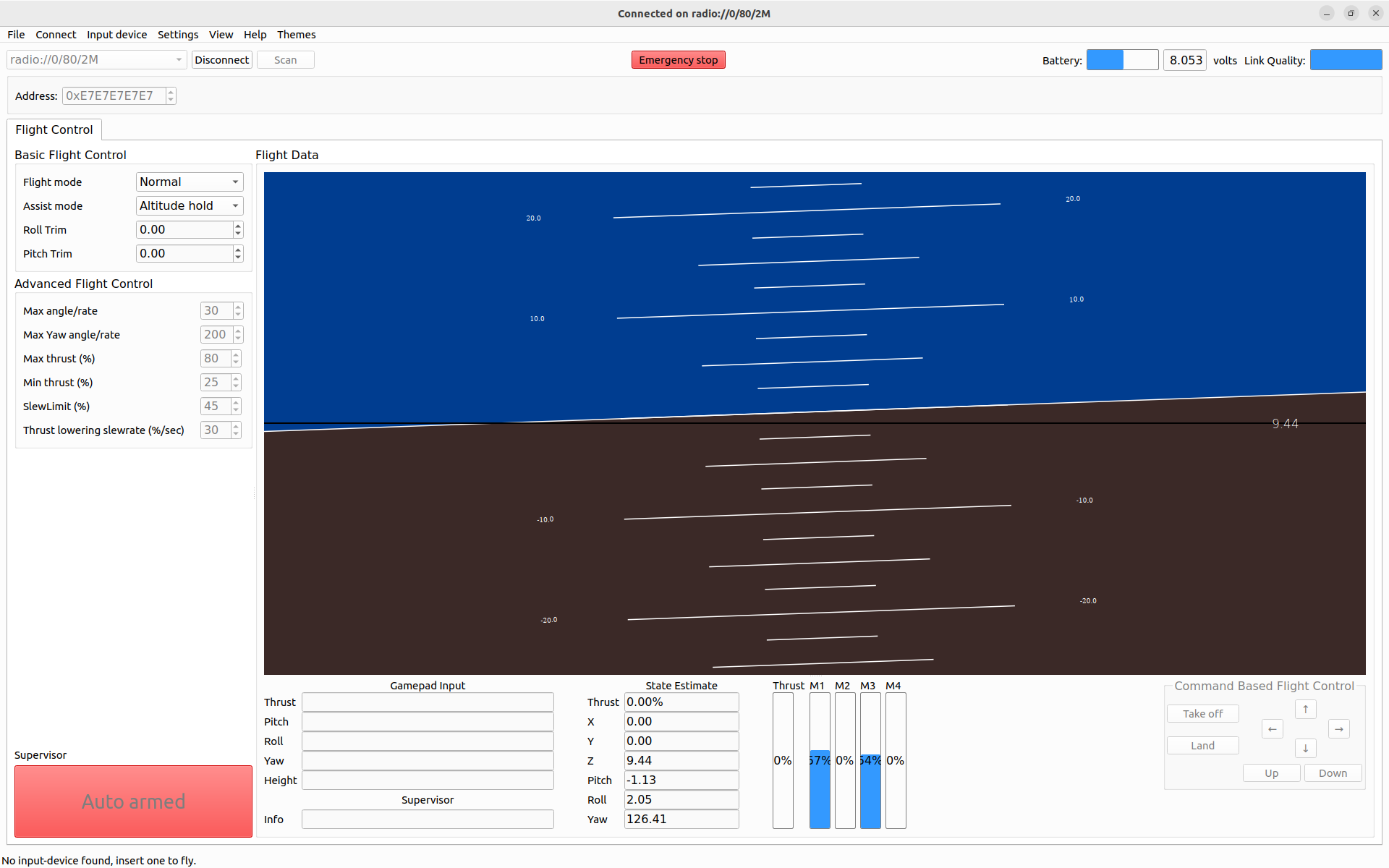
- The client indicates that the Flapper is slightly titled:
- Connected one of the UGV xbox copies. The xbox_mode2_linux gives me trust. Only I see Supervisor is locked, please reboot.
- According to this discussion I should send some zero setpoints to the Crazyflie.
- Yet, a simple reboot also worked. Could fly the Flapper around, although it was difficult to stabilize.
-
- Made in ~/activities/IMAV/Crazyflie/ a script just_some_trust.py. The 45000 was to much, the Flapper hit the ceiling.
- After playing around, found that a LOW_TRUST = 30000, HIGH_TRUST = 37500, RAMP_UP = 330, RAMP_DOWN = 110 allowed to fly on 40cm high (without cap).
March 20, 2026
March 19, 2026
- Should try step-by-step.
- Gives the same error as yesterday: with the CrazyFlie ID added, the Dongle is found, still in line 13 of drivers/crazyradio.py it goes wrong.
- I read somewhere that after a firmware flash the CrazyRadio 2.0 works like a CrazyRadio AP. Should try Building firmware.
- The package manager uv cannot be installed with apt, followed the install instructions of the UV project.
- Also apt install just and snap install just didn´t work. Yet, with uv tool install rust-just it works (cross-platform install instructions).
- The build instructions all worked fine, it fails on west flash. I is missing the probe-rs program.
- The red light of the CrazyRadio is flashing, so it is in bootloader mode.
- The firmware I build was version 5.4.0, just like the official release, so dropped that one on the drive. The USB-drive directly disappeared, and the light went white.
- Tested the step-by-step: Yeah, I'm connected! :D.
- Also the synchronous logging (step 2a) works: [337690][]: {'stabilizer.roll': 0.5144103169441223, 'stabilizer.pitch': -0.8400380611419678, 'stabilizer.yaw': -58.93551254272461}
- Asynchronous logging (step 2b) gave 5 seconds of roll, pitch, yaw updates.
- Step3 sets parameter (estimator). Would be cool to change the color of the LED. Changing group to 'led´, name to 'bitmask' indeed lights up a green led opposite the blinking red light
-
- Next is the Step-by-Step: Motion Commander.
- Unfortunatelly, the flow deck is not attached. Without a flow deck, the drone will drift fast. Luckely the Lighthouse is such flow deck.
- On the autonomous flight page, also the Loco system is mentioned as experimental setup.
- How to mount those extensions are described in this compatibility pdf. Note that there are also STLs available for a horizontal mount on top (also for the Loco deck). The AI-deck is also possible, but the camera is looking upward (ceiling map!)
- Should check other crazyflie equipment I have. Sure that I have the AI-deck.
- Note that there is a ICRA@40 paper on this localisation with the UWB sensor.
- It is a paper with github code.
-
- This autonomous_sequence.py uses an estimator / commander, yet no explicit Flow deck.
- For the AI-Deck example fpv.py the required hardware is listed on top. Seems that lower level hover commands are given.
March 18, 2026
- Assembled the Flapper Nimble+, following the instructions.
- Performed my first flight, with the Crazy Fly Android app. After 4 flights the battery was depleted. Didn't hear start-up beebs, nor battery warning beeps. Should also mount some nets at the ceiling.
- Watch How to fly a Quadcopter video.
- Did not buy a transmitter.
- Should try the control the Flapper with the Crazyradio 2 dongle.
- Checking CrazyFlie Eco-system.
- The loco system can also be combined with ithe roadrunner (old product), which allows to localize your equipement instead of your drone.
- From the laptop, there is an option to use a python interface, or ROS2.
- Lets start with python client.
- First test the CrazyRadio2.
- Following the installation instructions , started with PowerShell for nb-ros.
- Installed Zadig tool.
- Plugged in the CrazyRadio, which is visible as mount D:.
- Yet, I don't see the CrazyRadio in the list of devices. Under Options there is list-devices. When switching off the option Ignore Composite Parents the CrazyRadio 2 shows up. The device has already a driver (usbccgp v 10.0.26100.7705), not sure if I should overwrite that with libusb-win (v1.4.0.0)
- Installation of the cfclient looks simpler for Linux, switch to Ubuntu partition.
- The documentation points to the github of the crazyflie-lib-python (including Lighthouse), but the client can be found at crazyflie-client-python.
- Did also here a development install with pip install -e ..
- When starting cfclient, I see some warnings:
INFO:cfclient.gui:Disabling STL printouts
INFO:cfclient.utils.input.inputreaders:Input readers: ['linuxjsdev', 'pysdl2']
INFO:cfclient.utils.input.inputreaders:Successfully initialized [linuxjsdev]
INFO:cfclient.utils.input.inputreaders:Could not initialize [pysdl2]: No SDL2 support on Linux
INFO:cfclient.utils.input.inputinterfaces:Found interfaces: ['leapmotion', 'wiimote', 'zmqpull']
INFO:cfclient.utils.input.inputinterfaces:Could not initialize [leapmotion]: Leap Motion library probably not installed (No module named 'leapsdk')
INFO:cfclient.utils.input.inputinterfaces:Could not initialize [wiimote]: Missing cwiid (wiimote) driver No module named 'cwiid'
INFO:cfclient.utils.config:Dist config read from /home/arnoud/git/crazyflie-clients-python/src/cfclient/configs/config.json
INFO:cfclient.utils.input.inputinterfaces:Could not initialize [zmqpull]: ZMQ input disabled in config file
INFO:cfclient.utils.zmq_led_driver:ZMQ led disabled in config file
INFO:cfclient.utils.zmq_param:ZMQ param disabled in config file
INFO:cfclient.gui:If startup fails because of "xcb", install dependency with `sudo apt install libxcb-xinerama0`.
INFO:cfclient.utils.input:Using device blacklist [(VirtualBox|VMware|keyd virtual pointer)]
- The client is not working yet. Two problems to be troubleshooted:
- The CrazyRadio should be visible as radio from Select interface. The group was there, maybe change the read/write of the device.
- Connected one of the UGV Rover to my laptop, not sure if this works. The Input Map Xbox mode 2 and 4 at least give the trust on the left knop.
- Looking at usb-permissions.
- Still the radio is not visible after setting the rules. Trying a reboot.
- Reboot didn´t help. In the stdout of cfclient I see:
INFO:cflib.drivers.cfusb:Looking for devices....
INFO:cflib.crtp.prrtdriver:Initialized PRRT driver.
WARNING:cfclient.ui.main:Cannot find a Crazyradio Dongle
- From the dmesg it seems that device /dev/ttyACM0 is used, although it is part of the dailout group, instead of plugdev. Changed the permissions of /dev/ttyACM0, no longer get a warning on the Crayzradio Dongle, but still not see the interface.
- Experimented with an earlier version of the CrazyRadio on October 14, 2013, but under Windows, and only a UART "Hello World" example.
-
- Going into the lib-examples. console.py, which also gives Exception('Cannot find a Crazyradio Dongle')
March 9, 2026
March 2, 2026
February 27, 2026
- Checked Chapter 9 (Aerial Robotics) from IEEE RAS University
- Nice description of Aerodynamics, no simulation or hands-on assignments (yet).
- Should continue with section 9.2
February 24, 2026
- The DronEdu proposal is based on the format of the AiRobo project, which organizes a summerschool and a book on Ai & Robotics.
- The project had actually its inaugural AiRobo conference Dec. 2023, so is already running for three years.
- The project is described in a paper presented at World Conference on Educational Media & Technology.
- The final conference of AiRobo will be in October 2026, in Nancy, France. No call for papers yet.
- The AiRobo book seems also not finished yet. It has five chapters, including verification and complex algorithms.
- The most robotic publication from the consortium is A Case Study in Generating 3D Maps with Collaborative Robots, where a Velodyne point-cloud is loaded into a Pepper robot.
February 20, 2026
- The Boson-nighttime dataset is good benchmark for Satellite and Thermal images. See Table 2 from this overview paper. The extended dataset (69 Gb + 121 Gb) is studied in this RAL paper (Oct 2024).
February 5, 2026
- Looking for Drone books at Packt publishing.
- Other publishers:
February 3, 2026
Previous Labbook
Related Labbooks